What is the difference between cold email and email marketing, and why does it matter if you are about to send your first cold email?
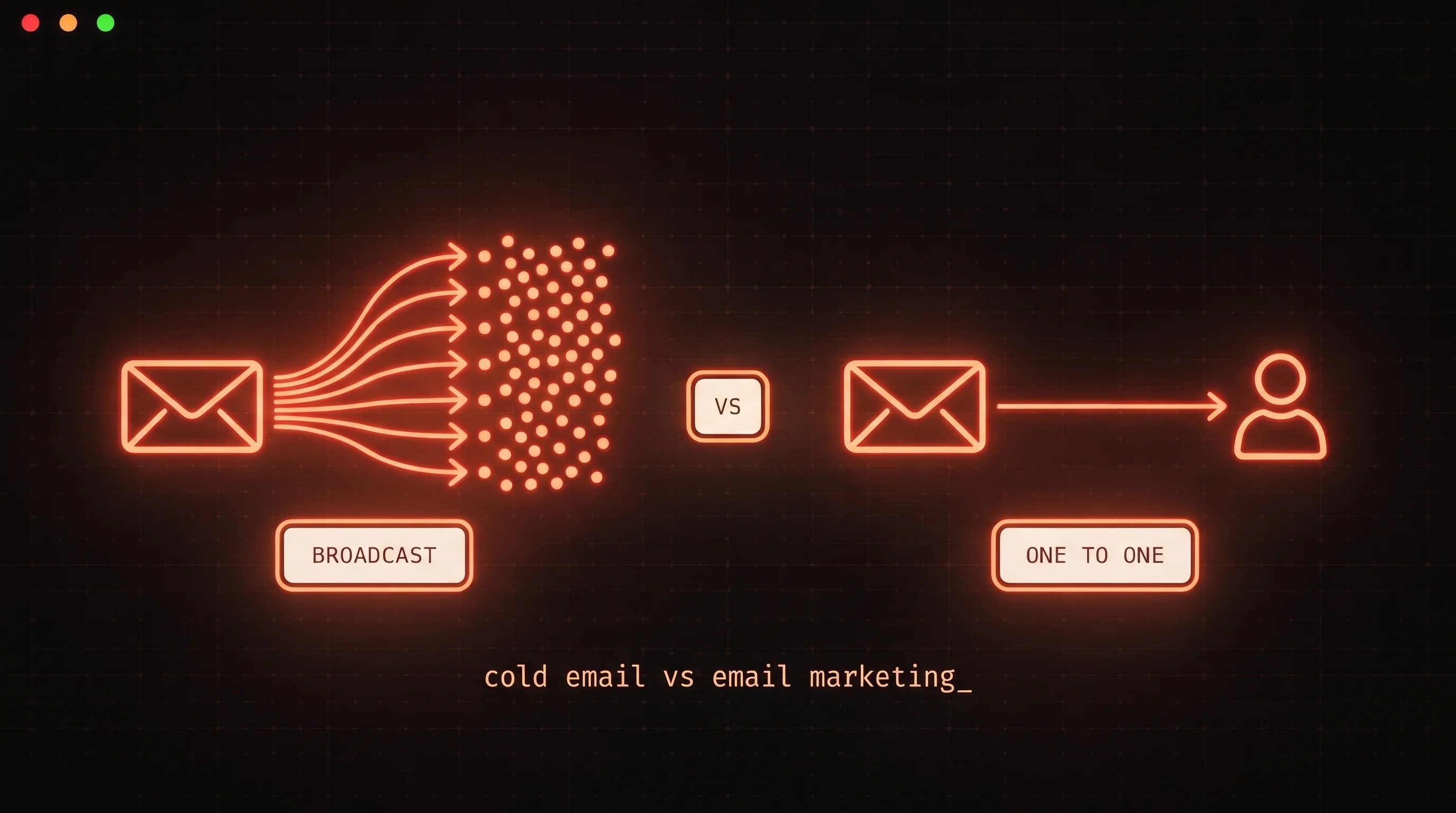
Short answer: cold email is one person writing to another person who has never heard of them, hoping for a reply. Email marketing is a brand writing to a list of people who signed up, hoping they read, click and buy. Both arrive in the same inbox. They follow different rules, need different setups and are judged on different numbers.
This post is for founders, freelancers and agency owners who know newsletters but have never run cold outreach. The mistake that costs the most is bringing newsletter habits into cold email and then wondering why nobody replies.
Cold email vs email marketing at a glance
| Cold email | Email marketing | |
|---|---|---|
| Who receives it | Hand-picked people who have not heard from you | Subscribers who opted in |
| Shape | One-to-one, written to one person | One-to-many, the same message to a list |
| Goal | A reply and a conversation | Opens, clicks, purchases, loyalty |
| Format | Short plain text, one question | Designed HTML, images, buttons |
| Sent from | Real mailboxes on separate domains | An email service provider, usually your main domain |
| Volume | Small daily amounts per mailbox | Large batches on a schedule |
| Main metric | Reply rate (and positive replies) | Open rate, click rate, unsubscribes |
The sections below take these differences one at a time, then cover the habits that carry over badly from newsletters.
One-to-one vs broadcast
A newsletter is a broadcast. You write once and the same message goes to everyone on the list. The reader already knows you, so a generic "Hi there" and a big header image are fine.
A cold email is a conversation opener. It goes to one person you chose for a reason, and that reason should show in the first two lines. You are asking a stranger for a few seconds of attention, so it has to read like a person wrote it for them, because a person did.
That changes what "success" means. A newsletter works if people read it and some of them click. A cold email works if the right person writes back. Few people reply to a newsletter, and that is fine. A cold email that sends a stranger to a landing page before you have even spoken has skipped a step.
Here is the same idea written both ways. As a newsletter:
Introducing Our New Onboarding Audit! We help SaaS teams improve activation. Check out our latest case study, follow us on LinkedIn, and book your free audit today. [Button: Book Now]
As a cold email:
Hi Sara, I signed up for Acme's trial last week and the first email I got was a password reset, nothing about getting started. Is onboarding email something your team owns, or does it sit with product?
The first is fine for people who subscribed. The second is the only one a stranger is likely to answer.
Consent and lists: where the rules split
This is the biggest structural difference. Email marketing runs on a list people joined. Cold email runs on a list you built: people whose public role and company make your offer relevant to them. The law treats those two lists differently, and it changes by country. What follows is a high-level map, not legal advice. Check the rules for where your recipients are.
United States: CAN-SPAM
The FTC's CAN-SPAM compliance guide is clear that "the law makes no exception for business-to-business email." It does not require prior consent. It is an opt-out law. A commercial email needs accurate sender information, a subject line that matches the content, a clear indication that the message is an ad (the FTC allows flexibility in how you do that), a valid physical postal address, and a clear way to opt out. You are also responsible for anyone who sends email on your behalf. You must honor an opt-out within 10 business days, and each email in violation can cost up to $53,088.
For a cold email, a plain sentence such as "If this is not relevant, reply and I will not email you again" is a reasonable opt-out, as long as you actually act on it. Add your postal address under your signature.
United Kingdom: PECR and UK GDPR
The ICO's business-to-business marketing guidance says the PECR rule on marketing by electronic mail "does not apply to corporate subscribers," meaning companies, LLPs and similar bodies. Sole traders and some partnerships are treated like individuals, so you need their consent (or the soft opt-in for existing customers).
When you email a company contact, PECR still expects you not to hide your identity and to give a valid address to opt out. UK GDPR also applies to the person's data: the ICO says legitimate interests will be the appropriate lawful basis in many B2B cases, and that a person's right to object to direct marketing "is absolute." The ICO also notes the guidance is under review after the Data (Use and Access) Act, so check it before you rely on it.
European Union: GDPR plus national rules
Recital 47 of the GDPR says processing personal data for direct marketing "may be regarded as carried out for a legitimate interest," which still means weighing your interest against what the person would reasonably expect. Article 21 gives every person the right to object to direct marketing at any time, after which their data can no longer be used for it. On top of GDPR, each EU country has its own rules on unsolicited email, and they do not all treat B2B email the same way. If you send into the EU, look up the country, not just the bloc.
The practical takeaway for beginners: keep cold email to business contacts, have a real reason each person is on your list, say who you are, make opting out easy, and keep a suppression list so nobody who says no ever hears from you again.
Plain text vs designed
Marketing emails are designed: a logo, a hero image, columns, buttons, a footer full of social icons. That makes sense when the reader expects you.
Cold email should look like an email a colleague sends. Plain text, a few short paragraphs, your name, a simple signature. Gmail's own description of its inbox tabs explains why this matters: Primary is for "Emails from people you know and messages that don't appear in other tabs," while Promotions is for "deals, offers, and other promotional emails." A designed template looks like a promotion. A short plain note looks like a person.
Sending setup: why cold email needs its own infrastructure
Newsletter tools send big batches through their own servers, usually from your main domain. Cold email should not work like that, for three reasons.
Separate domains. Your main domain carries your team's daily mail, invoices and any newsletter. If cold email hurts its reputation, all of that suffers. So cold senders buy a few similar domains (for example a ".co" or "get" variant of the brand) and send from mailboxes on those. A subdomain does not give real separation for volume: Google's sender guidelines FAQ says "messages sent from the same primary domain count toward the 5,000 limit," so mail from a subdomain rolls up to your main domain.
Authentication and warm-up. Google's email sender guidelines require SPF or DKIM for every sender, and SPF, DKIM and DMARC for anyone sending 5,000 or more messages a day to Gmail. A brand-new mailbox also has no history, so it is warmed up first: it sends and receives a small, growing amount of normal-looking mail before any outreach starts. You can check your records with our free SPF, DKIM and DMARC checker, and the email warmup lesson in the FoxReach Academy walks through the ramp.
Low volume per inbox, spread out. The same Google guidelines say to "send email at a consistent rate" and "avoid sending email in bursts." A Google Workspace user can technically send 2,000 messages a day, but that ceiling is for normal business mail, not a cold email target. Cold senders stay far below it and add mailboxes instead of pushing one harder. As an illustration, 30 emails a day from each of 5 mailboxes is 150 a day without any single inbox looking like a bulk sender. The cold email sending calculator helps you work out how many mailboxes a target volume needs.
The full setup, from domains to DNS to inbox placement, is covered in our cold email deliverability guide.
Metrics that matter for each
Email marketing is measured in opens, clicks and unsubscribes. Mailchimp's email marketing benchmarks, based on data as of December 2023 for campaigns sent to at least 1,000 subscribers, put the all-user average at a 35.63% open rate, a 2.62% click rate and a 0.22% unsubscribe rate. A newsletter team also watches list growth and revenue per send.
Cold email is measured in replies. Instantly's 2026 cold email benchmark report, covering January 1 to December 18, 2025, puts the average reply rate at 3.43%, with top performers above 10%. The same report says 58% of replies come from the first email, so the follow-ups carry the other 42%. Beyond raw replies, track positive replies, meetings booked, bounce rate and spam complaints. Google's sender guidelines ask you to keep your spam rate below 0.1% and never reach 0.3% or higher.
Notice what is missing from the cold list: opens. Apple's Mail Privacy Protection means "remote content is privately downloaded in the background when you receive a message (instead of when you view it)." A tracking pixel can load whether or not anyone read the email. An open rate is a rough signal at best. A reply is not ambiguous. Our cold email metrics lesson goes deeper on which numbers to act on.
The newsletter habits that hurt cold email
People who are good at newsletters often do worse at cold email at first, because their best habits are the wrong ones here.
1. Images and branded templates. A logo, a banner and a styled layout are the visual language of the Promotions tab. They also add weight to the message and make it look like it came from a marketing platform. Send plain text. Your signature can be your name, role, company and website on separate lines.
2. Many links. A newsletter might have ten links: articles, social icons, a "view in browser" link. Each one is another thing a filter has to evaluate, and in a cold email each one is a distraction from the only action you want, which is a reply. Use zero links in the first email or one at most, and never a link shortener.
3. Title Case subject lines. "Unlock Your Q4 Growth Potential" reads like a campaign, because it is written like one. A cold subject line should look like something a colleague would type: short, lowercase, specific. "question about your onboarding emails" gets read as a message, not an ad. Our subject line guide has more examples.
4. Tracking-heavy templates. Marketing templates track every open and rewrite every link through a tracking domain. That adds an invisible image to every email and swaps your links for redirect URLs on a domain that may be shared with many other senders. On a cold first email, that cost buys you an open number that Mail Privacy Protection already makes unreliable. Turn open tracking off for the first email, and if you track clicks, use your own tracking domain.
5. One big send from one address. A newsletter goes to the whole list at once. Doing that with cold email, a few hundred messages from one mailbox in a few minutes, is exactly the burst pattern Google tells senders to avoid. Spread sends across several mailboxes and across the working day.
6. Writing about yourself. Newsletters are about the brand, because the reader asked for news from the brand. A cold email is about the recipient: what you noticed about them, what problem you think they have, and one easy question. If your first paragraph starts with "We are," rewrite it. The how to write a cold email guide has a structure that works.
Before you send, paste the draft into the free email spam checker to catch the obvious promotional phrasing.
When to use which
Use email marketing when people already know you: newsletter subscribers, trial users, customers, event attendees, anyone who handed you their email for a reason. It keeps them engaged at low cost.
Use cold email when the people you need do not know you yet and you can name exactly why your offer fits them: a freelancer pitching ten agencies, a founder looking for the first twenty customers, an agency booking discovery calls. The FoxReach use cases for freelancers and solo founders show what that looks like in practice.
They work well together. A cold conversation that goes well can end with "can I add you to our monthly update?" That is how a cold prospect becomes a subscriber, with consent, on your main domain, in your newsletter tool. Never the other way round: do not import cold prospects into your newsletter.
How FoxReach sets cold email up by default
FoxReach is built for the cold side of this table. Sequence steps send as plain text unless you switch a step to HTML or add an image, and the editor warns you when you switch a step to HTML. When open tracking is on, the tracking pixel is only added to follow-ups, never the first email, and you can bring your own tracking domain. Connected mailboxes can be warmed up, each one has a daily cap, campaigns send inside a sending window you set and rotate across your mailboxes, and a lead's follow-ups stay on the mailbox that sent the first email so the thread holds together. Opt-out replies are detected and stop the sequence for that lead. There is also Copy check, which scores a draft for spam risk right in the editor.
You can start on the free plan and connect the mailboxes you already have. One thing to know: on the free plan, each email ends with a short "Sent with FoxReach" line and link. Paid plans send without it, which matters once you are following the zero-links advice above.
The rule to remember
If the person did not ask to hear from you, write one plain email to one person from a separate domain and ask one question; if they did ask, send the newsletter.