It is Monday morning. Across the twelve inboxes your team sends from, say 340 replies came in over the weekend. Most are noise - out-of-office bounces, "please remove me," auto-forwards from a shared alias. Buried in there are nine people who said some version of "tell me more," and every hour they sit unread is an hour a competitor's follow-up can land first.
That gap - fully automated sending, fully manual reply handling - is the last un-automated stage of outbound. Autonomous reply triage closes it. Instead of a human opening every message, an LLM agent reads each reply, decides what it is, and routes it: the interested prospect gets surfaced to a rep in minutes, the opt-out gets suppressed instantly, and the noise never reaches a human at all.
This guide covers what autonomous reply triage actually is, the intent taxonomy that makes it work, how to build the classifier, which model to run it on, and where to keep a human in the loop.
What autonomous reply triage means
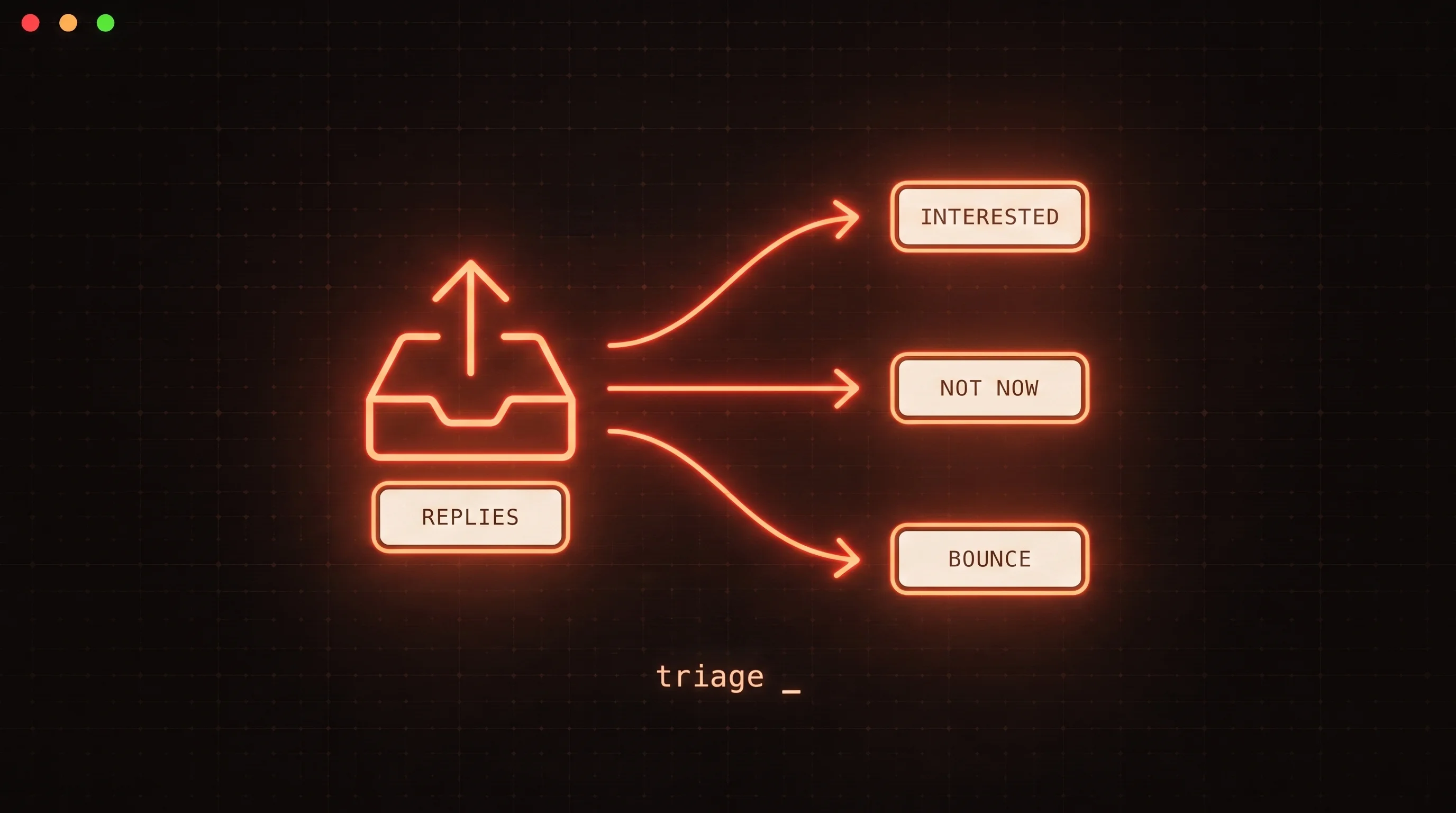
Autonomous reply triage is the classify-and-route layer that sits between your sending infrastructure and your reps. For every inbound reply it answers two questions:
- What is this reply? An intent label - interested, objection, out-of-office, unsubscribe, referral, wrong person, or automated noise.
- Where should it go? Surface to a human, draft a suggested response, suppress the contact, or archive silently.
The word "autonomous" matters. A rules-based filter that keys on the word "unsubscribe" is not triage - it breaks the moment a prospect writes "take me off your list" or "not interested, thanks." An LLM reads meaning, not keywords, which is why reply triage only became reliable once models got good enough to classify short, messy, human text without a mountain of hand-written rules.
If you are newer to the category, our explainer on what an AI SDR is frames where reply triage fits in the broader autonomous-outbound stack. Triage is the reply-handling stage of that same machine.
Why manual reply triage stops scaling
Sending scales linearly and cheaply. Reply handling does not. Three things break at once:
- Inbox sprawl. Deliverability best practice pushes teams toward many low-volume sending mailboxes rather than one high-volume domain. Ten mailboxes means ten places a human has to look, or one aggregation layer that still dumps every reply into a single undifferentiated queue.
- Signal dilution. The ratio of noise to signal is brutal. Out-of-office replies, auto-responders, and opt-outs vastly outnumber genuine interest. A rep scanning that queue burns attention on messages a machine could have cleared.
- Latency cost. Reply speed correlates with meeting rates. When an interested reply waits in an unread pile for a day because it was three screens down behind auto-replies, the opportunity cools.
The failure mode is not that humans can't do the work - it is that they spend most of their triage time on the 80% of replies that require no judgment at all, and the 20% that do require judgment arrive late.
The intent taxonomy
A useful reply classifier does not output a sentiment score. It outputs a discrete intent that maps to a concrete action. A practical starting taxonomy:
| Intent | What it looks like | Action |
|---|---|---|
| Interested | "Tell me more", "send a calendar link", asks a question | Surface to a human immediately, draft a reply |
| Objection | "We already use X", "no budget right now" | Surface to a human, draft a rebuttal |
| Referral | "That is not me, talk to Priya" | Extract the new contact, surface to a human |
| Out of office | Auto-reply with a return date | Schedule a follow-up after the return date |
| Unsubscribe | "Remove me", "stop", "not interested" | Suppress the contact everywhere, honor immediately |
| Wrong person | "I don't handle this" (no referral) | Mark the contact dead, no follow-up |
| Automated / noise | Bounce, mailer-daemon, ticket auto-ack | Archive silently |
The taxonomy is the product. Get the categories right and the routing logic falls out of them. The two most valuable labels are the two extremes: interested, because latency there is expensive, and unsubscribe, because getting it wrong is a compliance and deliverability problem, not just a UX one.
Building the classifier
At its core, a reply classifier is a single structured LLM call. You hand the model the reply text (plus a little context - the original message, the prospect's name) and constrain it to return one of your intent labels.
The reliable way to do this is not to ask for free-form text and parse it. It is to use the model's tool-use / structured-output mode, which forces the response to match a schema you define. Anthropic's tool use documentation covers the mechanics; the practical effect is that the model must return a valid intent enum and a confidence value, never a paragraph you have to regex.
A minimal classification schema looks like this:
{
  "name": "classify_reply",
  "input_schema": {
    "type": "object",
    "properties": {
      "intent": {
        "type": "string",
        "enum": ["interested", "objection", "referral",
                 "out_of_office", "unsubscribe", "wrong_person", "noise"]
      },
      "confidence": { "type": "number" },
      "referred_contact": { "type": "string" }
    },
    "required": ["intent", "confidence"]
  }
}
The classifier is stateless - reply in, label out - which is why a single integration can triage replies pulled from every mailbox you send from. That statelessness is what lets autonomous reply triage scale exactly where manual triage collapses: the more inboxes you run, the more the automation is worth.
Tip: log the
confidencescore alongside every classification. Low-confidence replies are your escalation queue - the ones worth a human glance or a second pass on a stronger model. Over a few weeks, the low-confidence cluster also tells you which intent your taxonomy is missing.
Choosing a model: fast and cheap wins
Reply classification is a short, high-volume, low-latency task - close to the ideal shape for the cheapest model tier. Per Anthropic's model pricing, Claude Haiku 4.5 runs at $1 per million input tokens and $5 per million output tokens, versus $3 / $15 for Claude Sonnet 4.6. For a classifier that reads a few hundred tokens and emits a one-word label, Haiku is the sensible default.
As an illustration of the economics (example math, not a benchmark): a typical reply plus the original-message context might be ~600 input tokens and the structured label ~30 output tokens. Classifying 10,000 replies is then roughly 6M input and 0.3M output tokens - about $6 in input plus roughly $1.50 in output on Haiku, so under $10 to triage ten thousand replies. Reply volume is essentially never your cost problem.
Reach for Sonnet 4.6 only where the extra reasoning earns its keep: long or multilingual replies, or the genuinely ambiguous cases where a soft objection ("interesting, but the timing is off") has to be told apart from real interest. The efficient pattern is a two-tier one - run Haiku on everything, and escalate only the low-confidence replies to Sonnet. You pay the premium on the 5% of messages that need it, not the 95% that don't.
Handle unsubscribes correctly - and automatically
There is exactly one intent you should always action without a human: opt-out. It is also the one with real legal and deliverability stakes, so it is worth handling deliberately.
Autonomous triage does not replace the compliance plumbing you already need - it complements it. Bulk senders to Gmail - anyone sending more than 5,000 messages a day - have been required since February 1, 2024 to support one-click unsubscribe via the List-Unsubscribe and List-Unsubscribe-Post headers and to honor those requests, per Google's sender guidelines. That mechanism is standardized in RFC 8058, which defines how a mail client POSTs an unsubscribe in the background without any confirmation page.
The header handles the prospect who clicks "unsubscribe" in Gmail's UI. Your reply classifier handles the prospect who instead just replies "please take me off your list" - a request the header never sees. Both paths must end in the same place: the contact suppressed across every campaign and every sending inbox, immediately. Getting this wrong generates spam complaints, and complaint rate is one of the fastest ways to wreck the inbox placement you worked to build - the deliverability mechanics we cover in landing cold email in the Google inbox all assume you are honoring opt-outs cleanly.
Keep a human on the send button
Reading, sorting, labeling, drafting - let the agent do all of it. Sending is where the boundary sits for most teams. A misfired auto-reply to an interested prospect does not just waste a message; it burns a real opportunity and reads as robotic at the exact moment a human touch matters most.
A safe default separates the two halves cleanly:
- Automate the mechanical: suppress unsubscribes, archive noise, schedule follow-ups past out-of-office return dates, extract referred contacts.
- Gate the relational: for interested replies and objections, the agent drafts a suggested response and surfaces it, but a human approves the send.
This is the same principle behind self-tuning outbound systems - the agent proposes, the human retains the decision that carries risk. Our write-up on self-improving cold email policies applies the identical human-in-the-loop pattern to campaign copy rather than replies.
Where FoxReach fits
For an AI agent to triage replies, it needs typed access to two things: the replies themselves, and the actions that follow classification - suppress a contact, schedule a follow-up, surface a message. That is exactly the surface the FoxReach MCP server exposes. An agent connects over MCP, pulls new replies from every sending inbox, classifies each one, and calls back into FoxReach to act - all without you building a bespoke IMAP scraper and a suppression API by hand.
Because the interface is agent-native, the same setup that reads and routes replies also handles the sending side, so triage is one capability in a single connected outbound loop rather than a bolted-on script. If you are architecting the broader system, the pillar guide on cold email for AI agents lays out how the reply-handling stage connects to sourcing, sending, and follow-up. Reply triage is the piece that keeps the loop from dead-ending in an unread inbox.
Key takeaways
- Reply triage is the last un-automated stage of outbound. Sending scales cheaply; manual reply handling does not, especially across many inboxes.
- The taxonomy is the product. A small set of intents mapped to concrete actions - with
interestedandunsubscribeas the two that matter most - is what turns classification into routing. - Use structured output, not free-form parsing. Constrain the model to an intent enum plus a confidence score so every classification is machine-actionable.
- Default to the cheap, fast model. Claude Haiku 4.5 handles clean intent labels at a fraction of a cent per reply; escalate only low-confidence cases to Sonnet 4.6.
- Automate opt-outs, gate sends. Honor unsubscribes instantly and automatically to protect deliverability; keep a human approving replies to real prospects.
The teams that win the reply race are not the ones reading fastest - they are the ones who let a machine clear the noise so a human only ever sees the nine messages that matter. Start by wiring an agent to your reply stream through the FoxReach MCP server and classifying a single day of backlog; the taxonomy will tell you the rest.