> ## Documentation Index
> Fetch the complete documentation index at: https://www.foxreach.io/docs/llms.txt
> Use this file to discover all available pages before exploring further.
# How unsubscribes work
> The two ways a lead opts out of FoxReach campaigns, what happens to them when they do, the per-campaign unsubscribe header and when it is switched on for you, and why your copy still needs an opt-out line.
Some people you email will ask you to stop. FoxReach makes sure that when they do, they are stopped everywhere, at once, without you having to remember. This page explains the two ways an opt-out reaches FoxReach, what it does to the lead, and the one setting you control: the unsubscribe header on a campaign.
## Two ways a lead opts out
**They click the unsubscribe link.** When a campaign carries the unsubscribe header (below), Gmail, Yahoo and most other clients show their own Unsubscribe button beside the sender name, and the email's headers carry a link. One click on either, and the lead is unsubscribed. The link does not expire; an opt-out link that stops working would be a compliance problem in itself.
**They reply and ask.** "Unsubscribe", "remove me", "please stop", "not interested, take me off your list": FoxReach reads every reply, and one that asks to stop is treated as an opt-out even when the rest of it reads as a polite no. This works whether or not the campaign carries the header.
Integrations get a third way: the API can set a reply's category to unsubscribe, which triggers the same suppression. The inbox itself has no unsubscribe button yet; if a reply asked to stop and was not caught, forward it to support and they will suppress the lead.
## What happens to an unsubscribed lead
The moment an opt-out lands, whichever way:
* The lead's status becomes **unsubscribed**. It shows on the lead's page and in the status filter on the Leads list.
* Every queued email to that lead is cancelled, in every campaign in the workspace, not just the one they replied to.
* No AI draft is written for their reply; there is nothing to answer.
* Adding them to a campaign changes nothing, because the sender skips unsubscribed leads, and a [single email](/docs/product/send-single-email) to them is refused. The lead stays in your list so you keep the history and do not import them again by accident.
The reply still counts as a real reply in your stats, because a person wrote it.
## The unsubscribe header
Every campaign has an **Add the unsubscribe header** switch on its Settings tab (pause the campaign to edit).
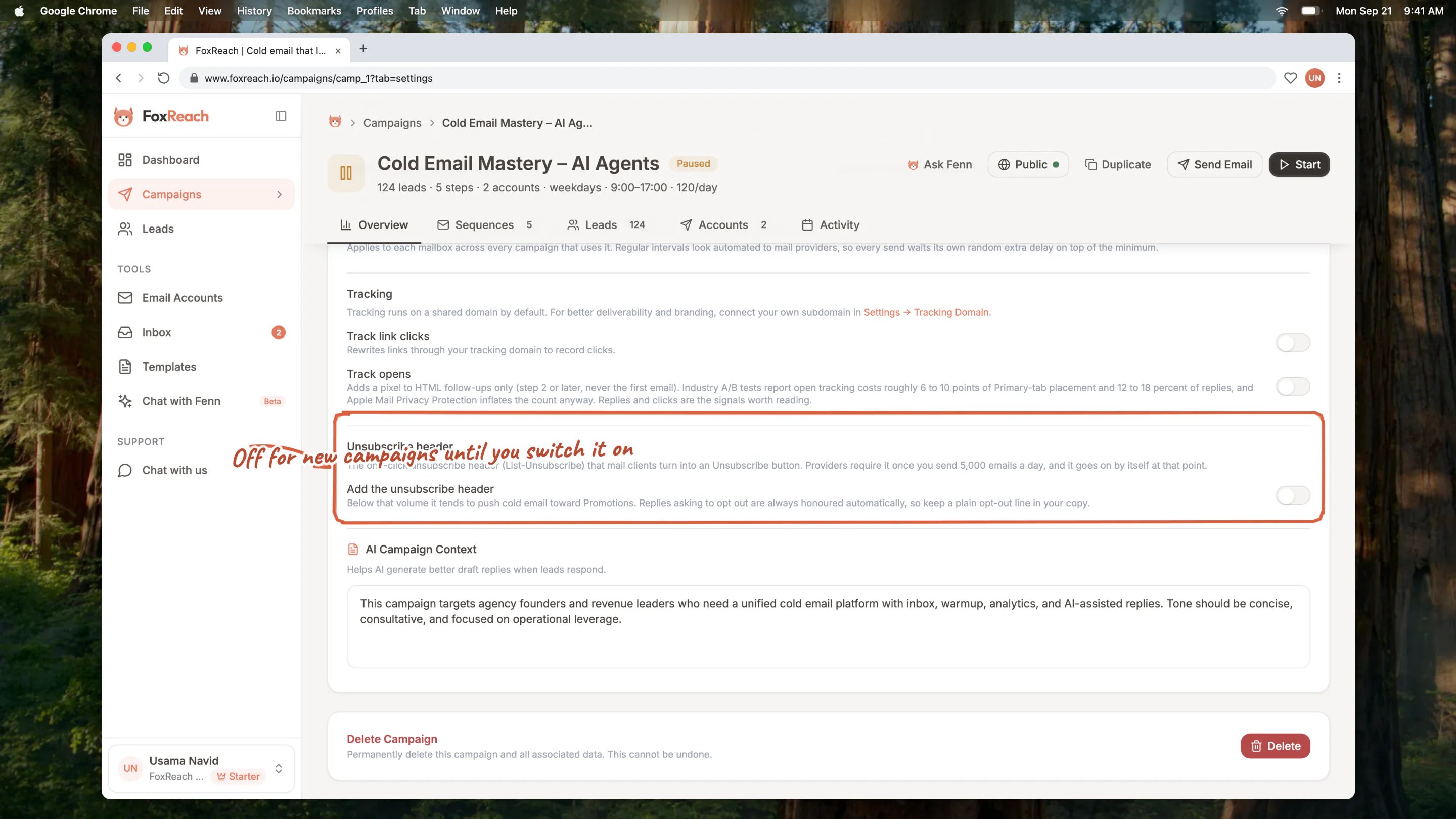
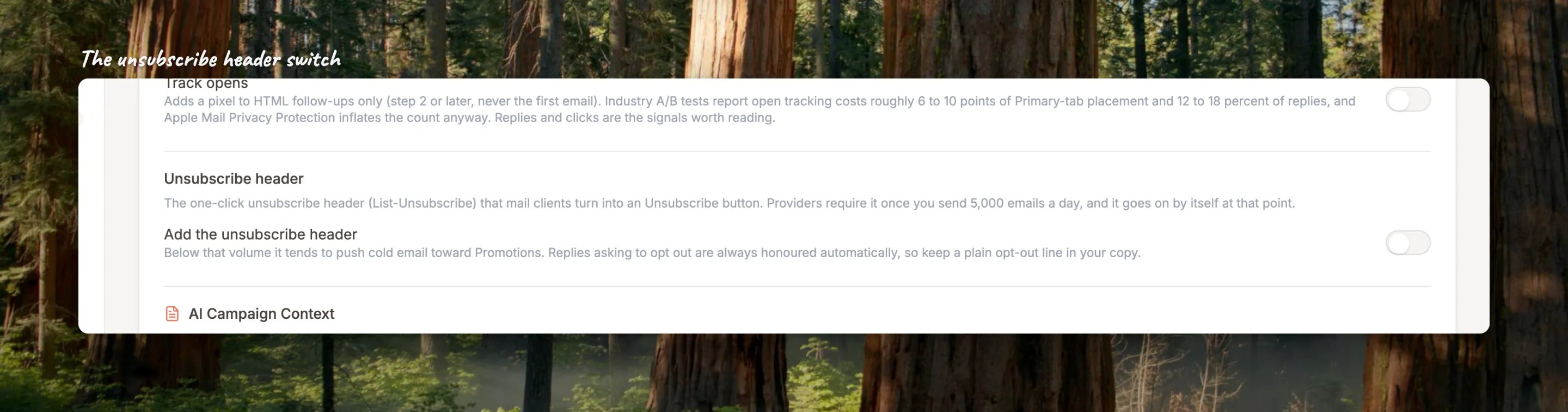 With it on, every email the campaign sends carries the standard one-click unsubscribe headers, which is what makes the Unsubscribe button appear in the recipient's mail client. Nothing is added to the visible body of the email.
**It is off for new campaigns.** Below bulk-sender volume, the header tends to push cold email out of the Primary tab, so FoxReach leaves the choice to you. Campaigns created before the switch existed keep it on.
**It switches itself on at volume.** Gmail and Yahoo require one-click unsubscribe from anyone sending 5,000 or more emails a day. Once a workspace crosses that in a day, FoxReach adds the header to every campaign in the workspace, whatever the switch says, and keeps it there.
## Your copy still needs an opt-out line
The header is a machine-readable opt-out. The law in most places, and plain courtesy, expects a human-readable one too: a line at the end of the email that says how to stop hearing from you. "If this is not relevant, reply and I will not follow up" does the job and, because FoxReach reads replies for opt-out intent, it also works. Put it in your sequence steps; FoxReach does not add one for you.
## Good to know
* **Warmup emails, inbox replies and single emails never carry the header.** It is for campaign sequence sends only.
* **Webhooks and integrations see it.** An opt-out fires the `lead.updated` event with the new status and how it happened (link, one-click, reply or manual), so a CRM connected through [webhooks](/docs/product/api-keys-and-webhooks) can mirror it.
* **A bounced lead is treated the same way** for sending purposes: queued emails cancelled everywhere and no new sends. See [campaign results](/docs/get-started/campaign-results) for how bounces are reported.
## Related guides
* [Create a campaign](/docs/get-started/create-campaign)
* [Work the unified inbox](/docs/get-started/unified-inbox)
* [Send a single email](/docs/product/send-single-email)
* [API keys and webhooks](/docs/product/api-keys-and-webhooks)
## Frequently asked questions
If you send at volume, or your audience expects it, yes. If you send small, personal batches and care about the Primary tab, leave it off and rely on a clear opt-out line in the email plus reply detection, which unsubscribes people who ask either way. Above 5,000 sends a day the question is moot: FoxReach turns it on.
Not from the app. An opt-out is meant to stick. If the person asks you in writing to resume, contact support with the request.
A plain confirmation page that says they have been unsubscribed, with no marketing on it. There is no confirm step: the click itself does it, which is what mail clients and recipients expect.
The classifier errs on the side of stopping, because the cost of one lost prospect is smaller than the cost of emailing someone who asked you not to. If it got one wrong, contact support with the reply and the lead's status can be corrected.
With it on, every email the campaign sends carries the standard one-click unsubscribe headers, which is what makes the Unsubscribe button appear in the recipient's mail client. Nothing is added to the visible body of the email.
**It is off for new campaigns.** Below bulk-sender volume, the header tends to push cold email out of the Primary tab, so FoxReach leaves the choice to you. Campaigns created before the switch existed keep it on.
**It switches itself on at volume.** Gmail and Yahoo require one-click unsubscribe from anyone sending 5,000 or more emails a day. Once a workspace crosses that in a day, FoxReach adds the header to every campaign in the workspace, whatever the switch says, and keeps it there.
## Your copy still needs an opt-out line
The header is a machine-readable opt-out. The law in most places, and plain courtesy, expects a human-readable one too: a line at the end of the email that says how to stop hearing from you. "If this is not relevant, reply and I will not follow up" does the job and, because FoxReach reads replies for opt-out intent, it also works. Put it in your sequence steps; FoxReach does not add one for you.
## Good to know
* **Warmup emails, inbox replies and single emails never carry the header.** It is for campaign sequence sends only.
* **Webhooks and integrations see it.** An opt-out fires the `lead.updated` event with the new status and how it happened (link, one-click, reply or manual), so a CRM connected through [webhooks](/docs/product/api-keys-and-webhooks) can mirror it.
* **A bounced lead is treated the same way** for sending purposes: queued emails cancelled everywhere and no new sends. See [campaign results](/docs/get-started/campaign-results) for how bounces are reported.
## Related guides
* [Create a campaign](/docs/get-started/create-campaign)
* [Work the unified inbox](/docs/get-started/unified-inbox)
* [Send a single email](/docs/product/send-single-email)
* [API keys and webhooks](/docs/product/api-keys-and-webhooks)
## Frequently asked questions
If you send at volume, or your audience expects it, yes. If you send small, personal batches and care about the Primary tab, leave it off and rely on a clear opt-out line in the email plus reply detection, which unsubscribes people who ask either way. Above 5,000 sends a day the question is moot: FoxReach turns it on.
Not from the app. An opt-out is meant to stick. If the person asks you in writing to resume, contact support with the request.
A plain confirmation page that says they have been unsubscribed, with no marketing on it. There is no confirm step: the click itself does it, which is what mail clients and recipients expect.
The classifier errs on the side of stopping, because the cost of one lost prospect is smaller than the cost of emailing someone who asked you not to. If it got one wrong, contact support with the reply and the lead's status can be corrected.